zepto的tap事件的点透问题的几种解决方案
1、“点透”是什么
你可能碰到过在列表页面上创建一个弹出层,弹出层有个关闭的按钮,你点了这个按钮关闭弹出层后后,这个按钮正下方的内容也会执行点击事件(或打开链接)。这个被定义为这是一个“点透”现象。
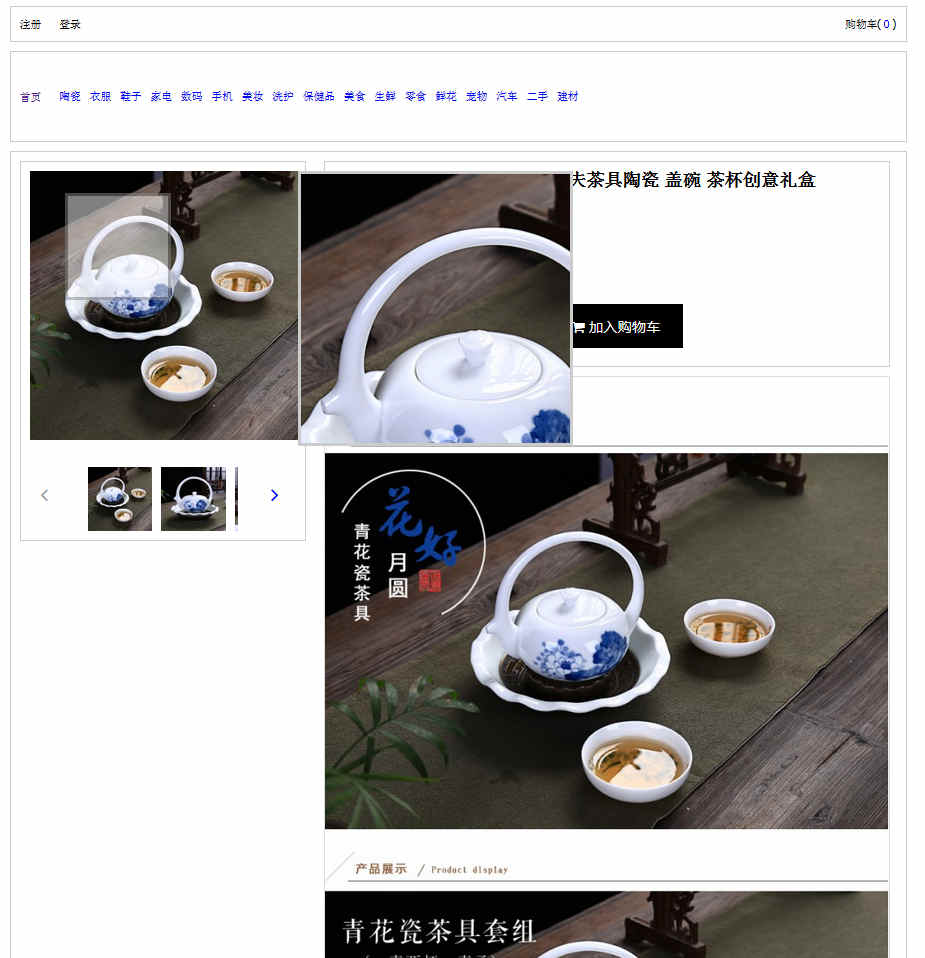
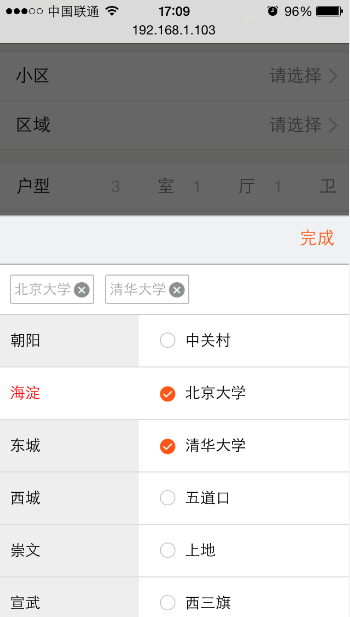
在前面的项目中遇到了如下图的问题:在点击弹出来的选择组件的右上角完成后会让完成后面的input输入框聚焦,弹出输入键盘,也就是点透了
2、为什么会出现点透呢?
这个需要从zepto(或者jqm)源码里面看关于tap的实现方法:
$(document).ready(function(){
         var now, delta, deltaX = 0, deltaY = 0, firstTouch, _isPointerType

         if ("MSGesture" in window) {
           gesture = new MSGesture()
          gesture.target = document.body
         }

         $(document)
          .bind("MSGestureEnd", function(e){
             var swipeDirectionFromVelocity =
               e.velocityX > 1 ? "Right" : e.velocityX < -1 ? "Left" : e.velocityY > 1 ? "Down" : e.velocityY < -1 ? "Up" : null;
             if (swipeDirectionFromVelocity) {
              touch.el.trigger("swipe")
               touch.el.trigger("swipe"+ swipeDirectionFromVelocity)
            }
           })
           .on("touchstart MSPointerDown pointerdown", function(e){
            if((_isPointerType = isPointerEventType(e, "down")) &&
              !isPrimaryTouch(e)) return
             firstTouch = _isPointerType ? e : e.touches[0]
             if (e.touches && e.touches.length === 1 && touch.x2) {
               // Clear out touch movement data if we have it sticking around
              // This can occur if touchcancel doesn"t fire due to preventDefault, etc.
              touch.x2 = undefined
              touch.y2 = undefined
            }
             now = Date.now()
           delta = now - (touch.last || now)
             touch.el = $("tagName" in firstTouch.target ?
               firstTouch.target : firstTouch.target.parentNode)
             touchTimeout && clearTimeout(touchTimeout)
             touch.x1 = firstTouch.pageX
             touch.y1 = firstTouch.pageY
             if (delta > 0 && delta <= 250) touch.isDoubleTap = true
             touch.last = now
             longTapTimeout = setTimeout(longTap, longTapDelay)
             // adds the current touch contact for IE gesture recognition
             if (gesture && _isPointerType) gesture.addPointer(e.pointerId);
           })
           .on("touchmove MSPointerMove pointermove", function(e){
             if((_isPointerType = isPointerEventType(e, "move")) &&
              !isPrimaryTouch(e)) return
             firstTouch = _isPointerType ? e : e.touches[0]
             cancelLongTap()
            touch.x2 = firstTouch.pageX
             touch.y2 = firstTouch.pageY

            deltaX += Math.abs(touch.x1 - touch.x2)
             deltaY += Math.abs(touch.y1 - touch.y2)
           })
           .on("touchend MSPointerUp pointerup", function(e){
             if((_isPointerType = isPointerEventType(e, "up")) &&
               !isPrimaryTouch(e)) return
             cancelLongTap()

             // swipe
             if ((touch.x2 && Math.abs(touch.x1 - touch.x2) > 30) ||
                 (touch.y2 && Math.abs(touch.y1 - touch.y2) > 30))

              swipeTimeout = setTimeout(function() {
                 touch.el.trigger("swipe")
                 touch.el.trigger("swipe" + (swipeDirection(touch.x1, touch.x2, touch.y1, touch.y2)))
                 touch = {}
               }, 0)

             // normal tap
             else if ("last" in touch)
               // don"t fire tap when delta position changed by more than 30 pixels,
               // for instance when moving to a point and back to origin
               if (deltaX < 30 && deltaY < 30) {
                // delay by one tick so we can cancel the "tap" event if "scroll" fires
                 // ("tap" fires before "scroll")
                 tapTimeout = setTimeout(function() {

                   // trigger universal "tap" with the option to cancelTouch()
                   // (cancelTouch cancels processing of single vs double taps for faster "tap" response)
                   var event = $.Event("tap")
                   event.cancelTouch = cancelAll
                   touch.el.trigger(event)

                   // trigger double tap immediately
                   if (touch.isDoubleTap) {
                     if (touch.el) touch.el.trigger("doubleTap")
                    touch = {}
                  }

                   // trigger single tap after 250ms of inactivity
                   else {
                     touchTimeout = setTimeout(function(){
                       touchTimeout = null
                       if (touch.el) touch.el.trigger("singleTap")
                       touch = {}
                    }, 250)
                  }
                 }, 0)
               } else {
                 touch = {}
               }
               deltaX = deltaY = 0

           })
           // when the browser window loses focus,
           // for example when a modal dialog is shown,
           // cancel all ongoing events
           .on("touchcancel MSPointerCancel pointercancel", cancelAll)

         // scrolling the window indicates intention of the user
         // to scroll, not tap or swipe, so cancel all ongoing events
         $(window).on("scroll", cancelAll)
       })

       ;["swipe", "swipeLeft", "swipeRight", "swipeUp", "swipeDown",
         "doubleTap", "tap", "singleTap", "longTap"].forEach(function(eventName){
         $.fn[eventName] = function(callback){ return this.on(eventName, callback) }
       })
可以看出zepto的tap通过兼听绑定在document上的touch事件来完成tap事件的模拟的,及tap事件是冒泡到document上触发的
再点击完成时的tap事件(touchstart\touchend)需要冒泡到document上才会触发,而在冒泡到document之前,用户手的接触屏幕(touchstart)和离开屏幕(touchend)是会触发click事件的,因为click事件有延迟触发(这就是为什么移动端不用click而用tap的原因)(大概是300ms,为了实现safari的双击事件的设计),所以在执行完tap事件之后,弹出来的选择组件马上就隐藏了,此时click事件还在延迟的300ms之中,当300ms到来的时候,click到的其实不是完成而是隐藏之后的下方的元素,如果正下方的元素绑定的有click事件此时便会触发,如果没有绑定click事件的话就当没click,但是正下方的是input输入框(或者select选择框或者单选复选框),点击默认聚焦而弹出输入键盘,也就出现了上面的点透现象。
3、点透的解决方法:
方案一:来得很直接github上有个fastclick可以完美解决https://github.com/ftlabs/fastclick
引入fastclick.js,因为fastclick源码不依赖其他库所以你可以在原生的js前直接加上
     window.addEventListener( "load", function() {
        FastClick.attach( document.body );
    }, false );
或者有zepto或者jqm的js里面加上
    $(function() {
         FastClick.attach(document.body);
    });
当然require的话就这样:
    var FastClick = require("fastclick");
     FastClick.attach(document.body, options);
方案二:用touchend代替tap事件并阻止掉touchend的默认行为preventDefault()
    $("#cbFinish").on("touchend", function (event) {
         //很多处理比如隐藏什么的
         event.preventDefault();
     });
方案三:延迟一定的时间(300ms+)来处理事件
    $("#cbFinish").on("tap", function (event) {
         setTimeout(function(){
        //很多处理比如隐藏什么的
         },360);
     });
这种方法其实很好,可以和fadeInIn/fadeOut等动画结合使用,可以做出过度效果
理论上上面的方法可以完美的解决tap的点透问题,如果真的倔强到不行,用click