Windows Mobile引路蜂地图开发示例:二维图形库
jerry 地图开发 2015年11月26日
收藏
Windows Mobile引路蜂地图开发包带有一个高效二维图形库,这是因为诸如LineCap, LineJoin, Brush, TextBrush, Path 等方法在Windows .Net Compact Framework 平台上不支持。Windows Mobile引路蜂地图开发包中的二维图形库弥补了这些缺陷,它提供了在桌面平台System.Drawing.Drawing2D中相应功能。
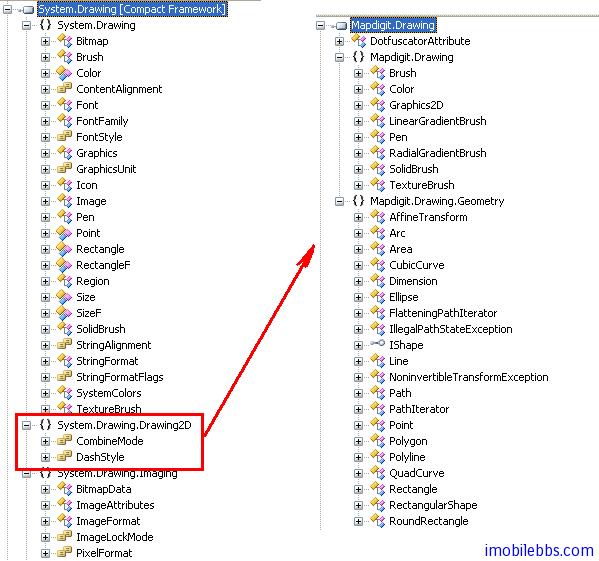
引路蜂地图开发包使用了这个图形库来绘制路径以及矢量地图。
基本知识
二维图形库使用类Graphics2D作为画板,内部画板实际为一个整数型二维数组。这种设计可以实现平台无关性。在绘制好图形后,最终是要在屏幕上显示的。在Windows Mobile平台上没有提供直接绘制整数型二维数组的方法。下面是在Windows Mobile绘制数型二维数组的方法。数组中每个元素为一个32位整数,格式为 AAAARRRRGGGGBBBB,分别代表透明度,红色,绿色,蓝色。
/// <summary>
/// Graphics 2D Object
/// </summary>
private readonly Graphics2D graphics2D;

/// <summary>
/// screen width
/// </summary>
private readonly int screenWidth;

/// <summary>
/// screen Height
/// </summary>
private readonly int screenHeight;
.....
screenWidth = Width;
screenHeight = Height;
graphics2D = new Graphics2D(screenWidth, screenHeight);
private void MainForm_Paint(object sender, PaintEventArgs e)
{
    DrawRGB(e.Graphics, graphics2D.Argb, 0, 0, screenWidth, screenHeight);
}

////////////////////////////////////////////////////////////////////////////
//--------------------------------- REVISIONS ------------------------------
// Date       Name                 Tracking #         Description
// ---------  -------------------  -------------      ----------------------
// 24SEP2010  James Shen                               Code review
////////////////////////////////////////////////////////////////////////////
/// <summary>
/// Draws the RGB.
/// </summary>
/// <param name="graphics">The graphics.</param>
/// <param name="rgbData">The RGB data.</param>
/// <param name="x">The x.</param>
/// <param name="y">The y.</param>
/// <param name="w">The w.</param>
/// <param name="h">The h.</param>
private static void DrawRGB(Graphics graphics, int[] rgbData, int x,
   int y, int w, int h)
{
    Bitmap bmp = new Bitmap(w, h);
    System.Drawing.Rectangle rect =
 new System.Drawing.Rectangle(0, 0, bmp.Width, bmp.Height);
    BitmapData bmpData =
    bmp.LockBits(rect, ImageLockMode.ReadWrite, PixelFormat.Format32bppRgb);
    IntPtr ptr = bmpData.Scan0;
    System.Runtime.InteropServices.Marshal.Copy(rgbData, 0, ptr, rgbData.Length);
    bmp.UnlockBits(bmpData);
    graphics.DrawImage(bmp, x, y);
}
下面简单介绍一下图形库,功能基本和桌面平台类似。
颜色
/**
 * The solid (full opaque) red color in the ARGB space
 */
Color redColor = new Color(0xffff0000, false);

/**
 * The semi-opaque green color in the ARGB space (alpha is 0x78)
 */
Color greenColor = new Color(0x7800ff00, true);

/**
 * The semi-opaque blue color in the ARGB space (alpha is 0x78)
 */
Color blueColor = new Color(0x780000ff, true);
/**
 * The semi-opaque yellow color in the ARGB space ( alpha is 0x78)
 */
Color yellowColor = new Color(0x78ffff00, true);

/**
 * The dash array
 */
int[] dashArray = { 20, 8 };
graphics2D.Reset();
graphics2D.Clear(Color.Black);
SolidBrush brush = new SolidBrush(redColor);
graphics2D.FillOval(brush, 30, 60, 80, 80);
brush = new SolidBrush(greenColor);
graphics2D.FillOval(brush, 60, 30, 80, 80);
Pen pen = new Pen(yellowColor, 10, Pen.CapButt, Pen.JoinMiter, dashArray, 0);
brush = new SolidBrush(blueColor);
graphics2D.SetPenAndBrush(pen, brush);
graphics2D.FillOval(null, 90, 60, 80, 80);
graphics2D.DrawOval(null, 90, 60, 80, 80);
Invalidate();
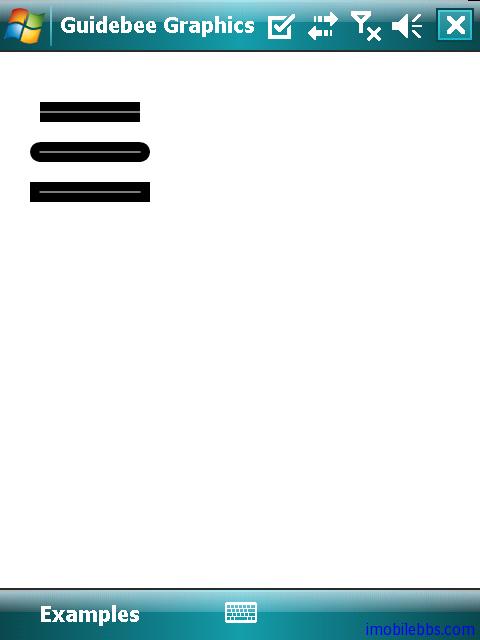
线段接头(LineCap)
Color blackColor = new Color(0x000000);
Color whiteColor = new Color(0xffffff);
graphics2D.Reset();
graphics2D.Clear(Color.White);

Pen pen = new Pen(blackColor, 20, Pen.CapButt, Pen.JoinMiter);
graphics2D.DrawLine(pen, 40, 60, 140, 60);
pen = new Pen(whiteColor, 1);
graphics2D.DrawLine(pen, 40, 60, 140, 60);

pen = new Pen(blackColor, 20, Pen.CapRound, Pen.JoinMiter);
graphics2D.DrawLine(pen, 40, 100, 140, 100);
pen = new Pen(whiteColor, 1);
graphics2D.DrawLine(pen, 40, 100, 140, 100);

pen = new Pen(blackColor, 20, Pen.CapSquare, Pen.JoinMiter);
graphics2D.DrawLine(pen, 40, 140, 140, 140);
pen = new Pen(whiteColor, 1);
graphics2D.DrawLine(pen, 40, 140, 140, 140);
Invalidate();
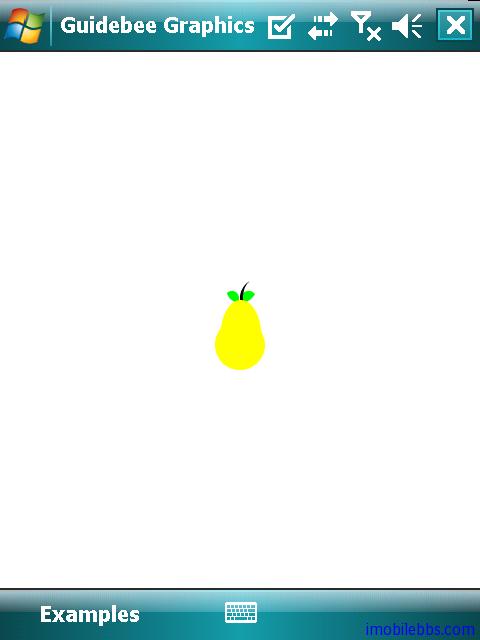
梨子
最后一个例子是利用各种几何图形通过“加”,“减”,“并”操作组成一个梨子图形。
Ellipse circle, oval, leaf, stem;
Area circ, ov, leaf1, leaf2, st1, st2;
circle = new Ellipse();
oval = new Ellipse();
leaf = new Ellipse();
stem = new Ellipse();
circ = new Area(circle);
ov = new Area(oval);
leaf1 = new Area(leaf);
leaf2 = new Area(leaf);
st1 = new Area(stem);
st2 = new Area(stem);
graphics2D.Reset();
graphics2D.Clear(Color.White);
int w = screenWidth;
int h = screenHeight;
int ew = w / 2;
int eh = h / 2;
SolidBrush brush = new SolidBrush(Color.Green);
graphics2D.DefaultBrush = brush;
// Creates the first leaf by filling the intersection of two Area
//objects created from an ellipse.
leaf.SetFrame(ew - 16, eh - 29, 15, 15);
leaf1 = new Area(leaf);
leaf.SetFrame(ew - 14, eh - 47, 30, 30);
leaf2 = new Area(leaf);
leaf1.Intersect(leaf2);
graphics2D.Fill(null, leaf1);

// Creates the second leaf.
leaf.SetFrame(ew + 1, eh - 29, 15, 15);
leaf1 = new Area(leaf);
leaf2.Intersect(leaf1);
graphics2D.Fill(null, leaf2);

brush = new SolidBrush(Color.Black);
graphics2D.DefaultBrush = brush;

// Creates the stem by filling the Area resulting from the
//subtraction of two Area objects created from an ellipse.
stem.SetFrame(ew, eh - 42, 40, 40);
st1 = new Area(stem);
stem.SetFrame(ew + 3, eh - 47, 50, 50);
st2 = new Area(stem);
st1.Subtract(st2);
graphics2D.Fill(null, st1);

brush = new SolidBrush(Color.Yellow);
graphics2D.DefaultBrush = brush;

// Creates the pear itself by filling the Area resulting from the
//union of two Area objects created by two different ellipses.
circle.SetFrame(ew - 25, eh, 50, 50);
oval.SetFrame(ew - 19, eh - 20, 40, 70);
circ = new Area(circle);
ov = new Area(oval);
circ.Add(ov);
graphics2D.Fill(null, circ);
Invalidate();
推荐文章