如何循环输出文章列表
知识点
| have_posts | 是否有文章 |
| the_post | 获取下一篇文章的信息,并且将信息存入全局变量 $post 中 |
| the_permalink | 获取文章链接 |
| the_title | 获取文章标题 |
| the_content | 获取文章内容 |
| the_category | 获取分类信息 |
| the_author | 获取作者信息 |
| the_time | 获取时间the_time( 'Y-m-d' ) |
| edit_post_link | 获取编辑链接 |
功能实现
修改/wp-content/themes/shouce/index.php
<!doctype html>
<head>
	<meta http-equiv="Content-Type" content="text/html; charset=<?php echo get_bloginfo('charset'); ?>" />
	<title><?php bloginfo('name'); ?></title>
	<meta name="description" content="<?php bloginfo('description'); ?>" />
	<link rel="stylesheet" href="<?php bloginfo('stylesheet_url'); ?>" type="text/css" />

	<?php wp_head(); ?>
</head>
<body>
	<div id="header">
		<div id="headerimg">
			<h1><a href="<?php echo get_option('home'); ?>"><?php bloginfo('name'); ?></a></h1>
			<div class="description"><?php bloginfo('description'); ?></div>
		</div>
	</div>

	<div id="home-loop">
		<?php
			if( have_posts() ){
				while( have_posts() ){

					//获取下一篇文章的信息,并且将信息存入全局变量 $post 中
					the_post();
					?>
					<div class="post-item">
						<div class="post-title"><h2><a href="<?php the_permalink(); ?>"><?php the_title(); ?></a><h2></div>
						<div class="post-content"><?php the_content(); ?></div>
						<div class="post-meta">
								类别:<?php the_category(','); ?><span>|</span>
								作者:<?php the_author(); ?><span>|</span>
								时间:<?php the_time( 'Y-m-d' ); ?>
								<?php edit_post_link('修改', ' <span>|</span> ', '' ); ?>
						</div>
					</div>
					<?php
				}
			}else{
				echo '没有日志可以显示';
			}
		?>
	</div>
	<?php wp_footer(); ?>
</body>
</html>
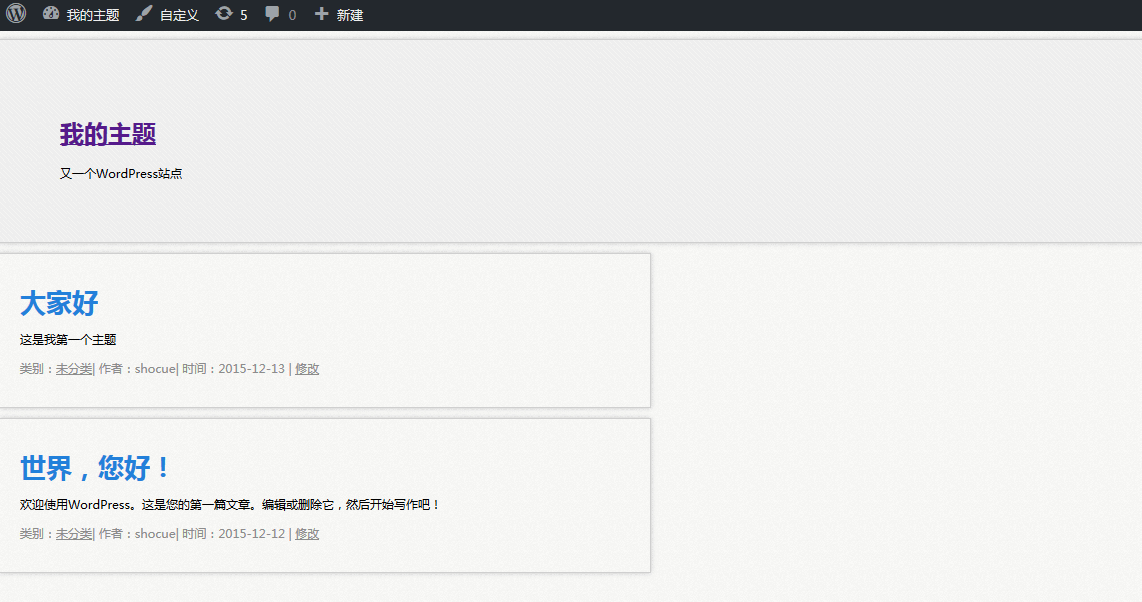
效果图:
现在我们稍微修改下css样式,让页面居中显示。
修改/wp-content/themes/shouce/style.css
把
body {
    font-family: 'Microsoft YaHei', '微软雅黑', Tahoma, Verdana, Arial, Helvetica, sans-serif;
    font-size: 12px;
    background-image: url(images/bg-body.jpg);
    background-repeat: repeat;
    background-position: top left;
    background-attachment: scroll;
}
修改为
body {
    font-family: 'Microsoft YaHei', '微软雅黑', Tahoma, Verdana, Arial, Helvetica, sans-serif;
    font-size: 12px;
    background-image: url(images/bg-body.jpg);
    background-repeat: repeat;
    background-position: top left;
    background-attachment: scroll;
    width: 80%;
    margin-left: auto;
    margin-right: auto;
}
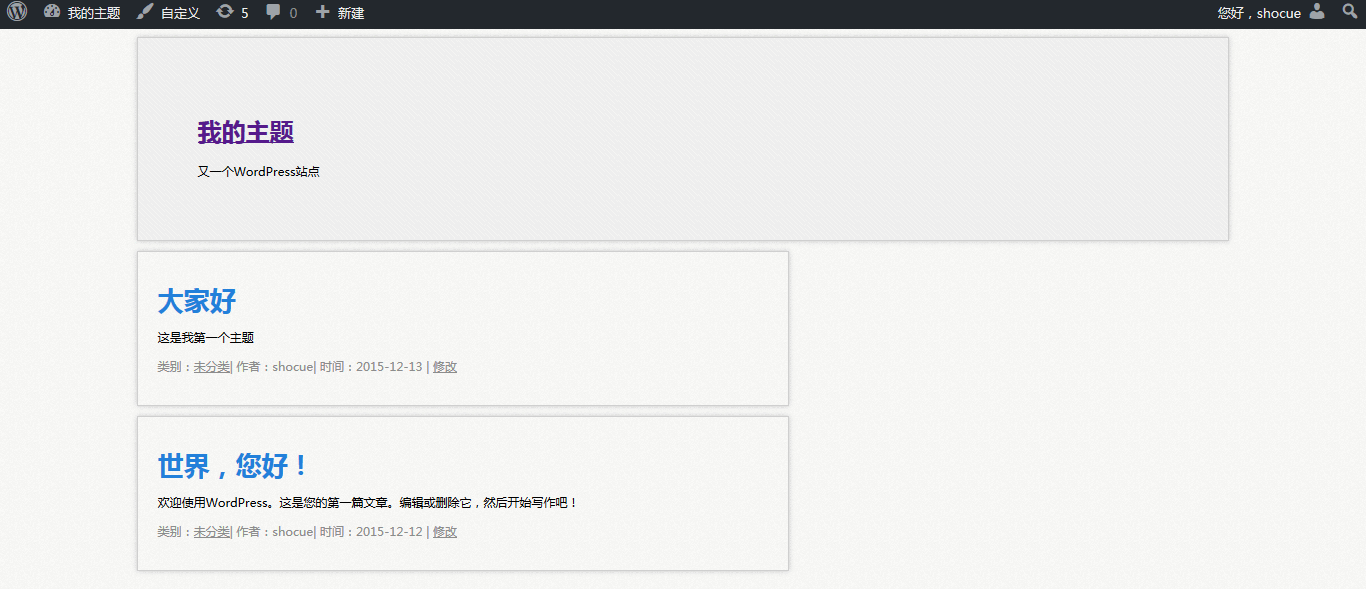
刷新页面如图
还没有评论.